
Oct 13, 2026
With Indigo 2.3 you shape what happens around a booking: which steps guests complete, which documents they fill in or sign and who hears about it. Here are the highlights at a glance, with each new feature in detail below.
At a glance
Booking flow & documents: Guests complete forms, notices and contracts on their own and on time, with deadlines and reminders.
Bookings & calendar: Your own statuses, clear participant rules and a month or week calendar show you and your guests at once where things stand.
Subscriptions & team: Subscriptions with a minimum term and notice period, members cancel on their own, and your team hears about it right away.
Booking page & guests: Sold-out events, company details and dates in the guest's language make booking easier for guests.
Settings: Everything for the whole project and everything for each booking is now kept apart and quick to find.
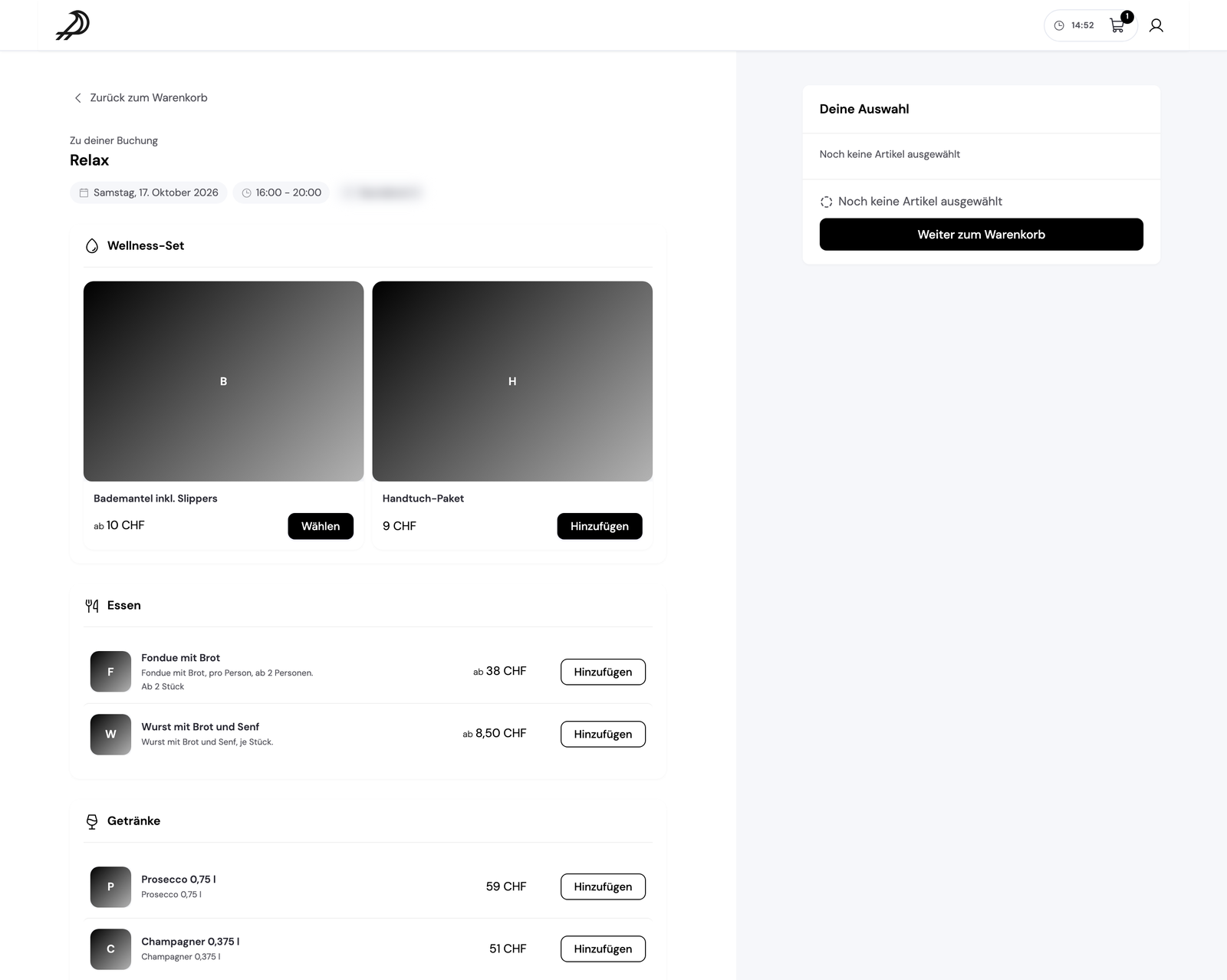
Decide what your guests do around a booking: when booking, after booking, before the appointment, on the day and afterwards. Each step is required or optional and can have a deadline, e.g. “up to 24 hours before the start”. Set it up once as the standard flow and it applies to every booking option, or give one option its own.
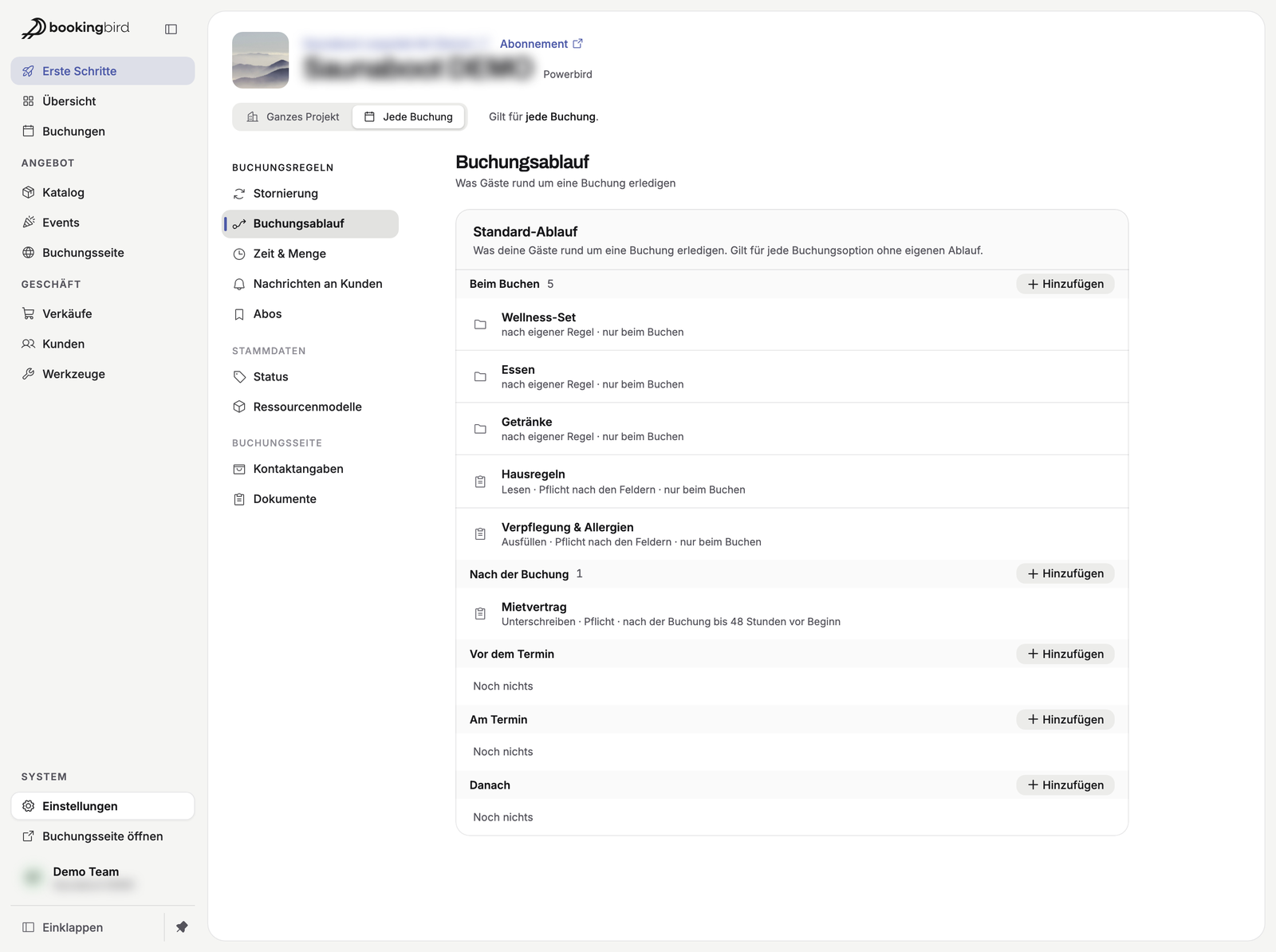
Where: Settings → Every booking → Booking flow
All your documents now live in one place. A form asks questions (e.g. allergies), guests confirm a notice (e.g. house rules), and they sign a contract. You design each document in its own editor, and the signed PDF is kept with the booking as proof.
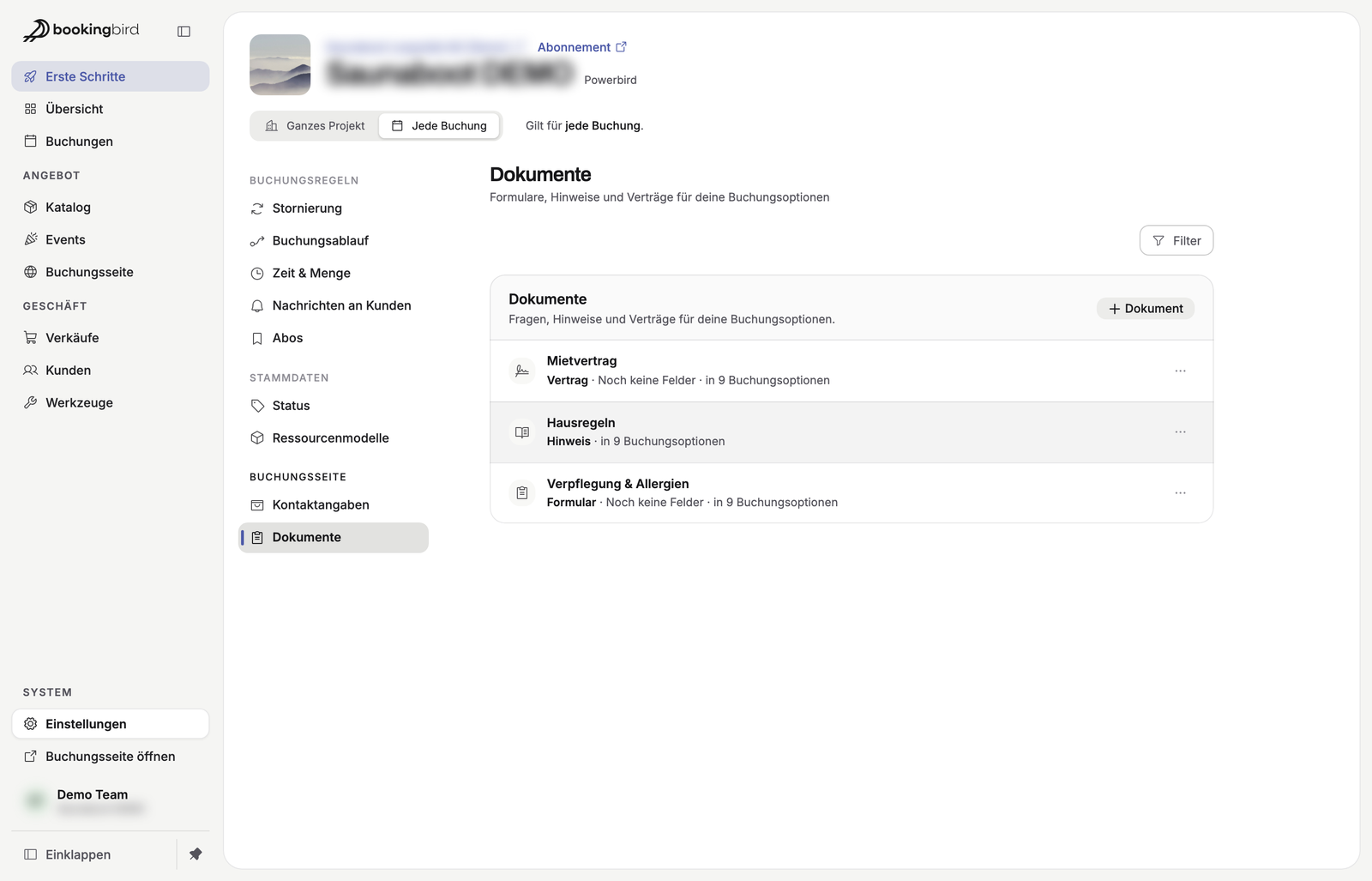
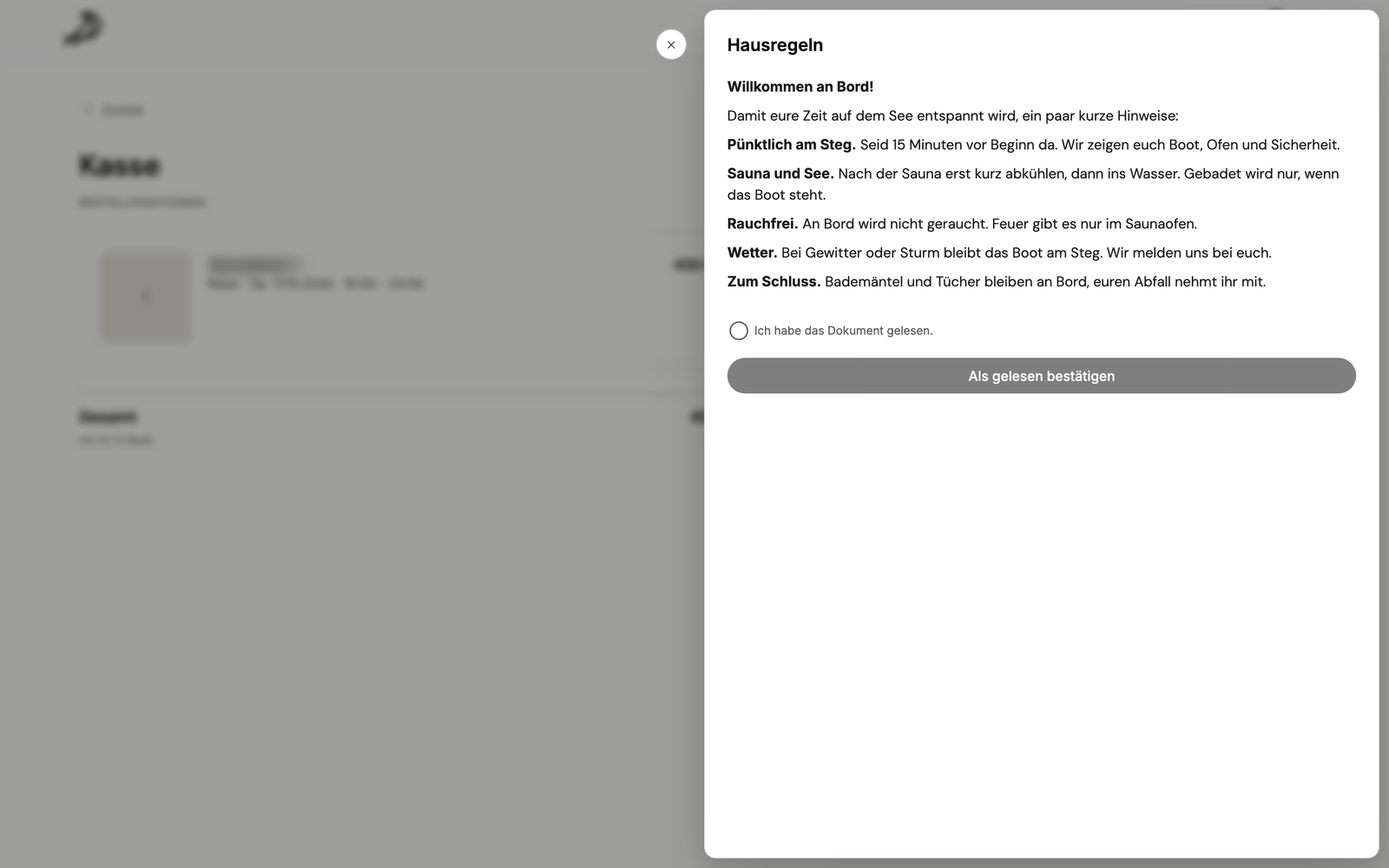
Where: Settings → Every booking → Documents
Your guests get a link in their confirmation and first see what is still to do, e.g. “Sign the rental contract”. If a required step is still open when its deadline is reached, the guest gets a reminder email.
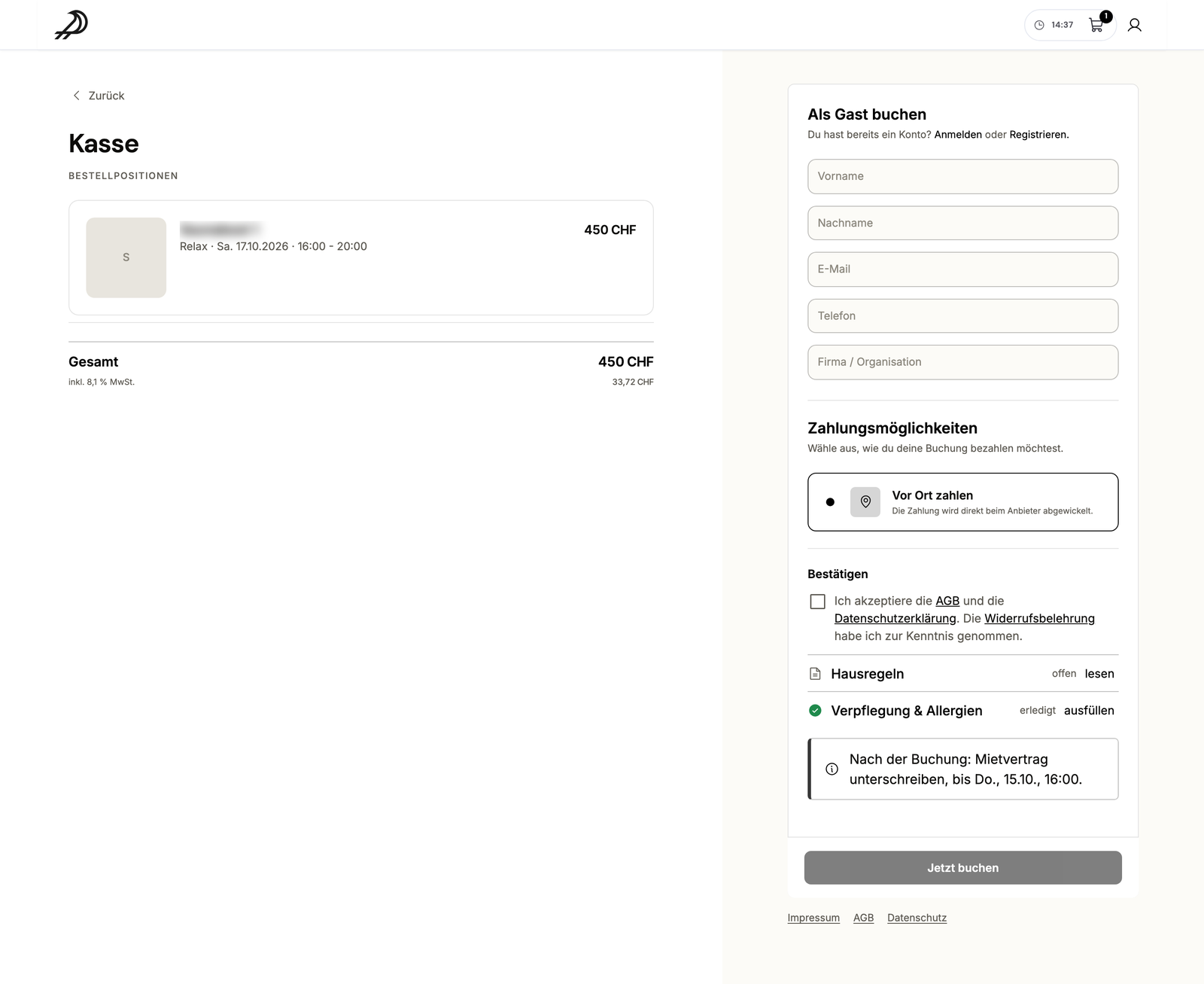
Where: Booking page → confirmation or the guest's personal link
Next to Bookingbird's fixed statuses you can now create your own, with a name, colour and condition, e.g. for a specific booking option. The status switches on by itself once the condition is met and shows as a column in your lists. If you want, your team can also change it by hand.
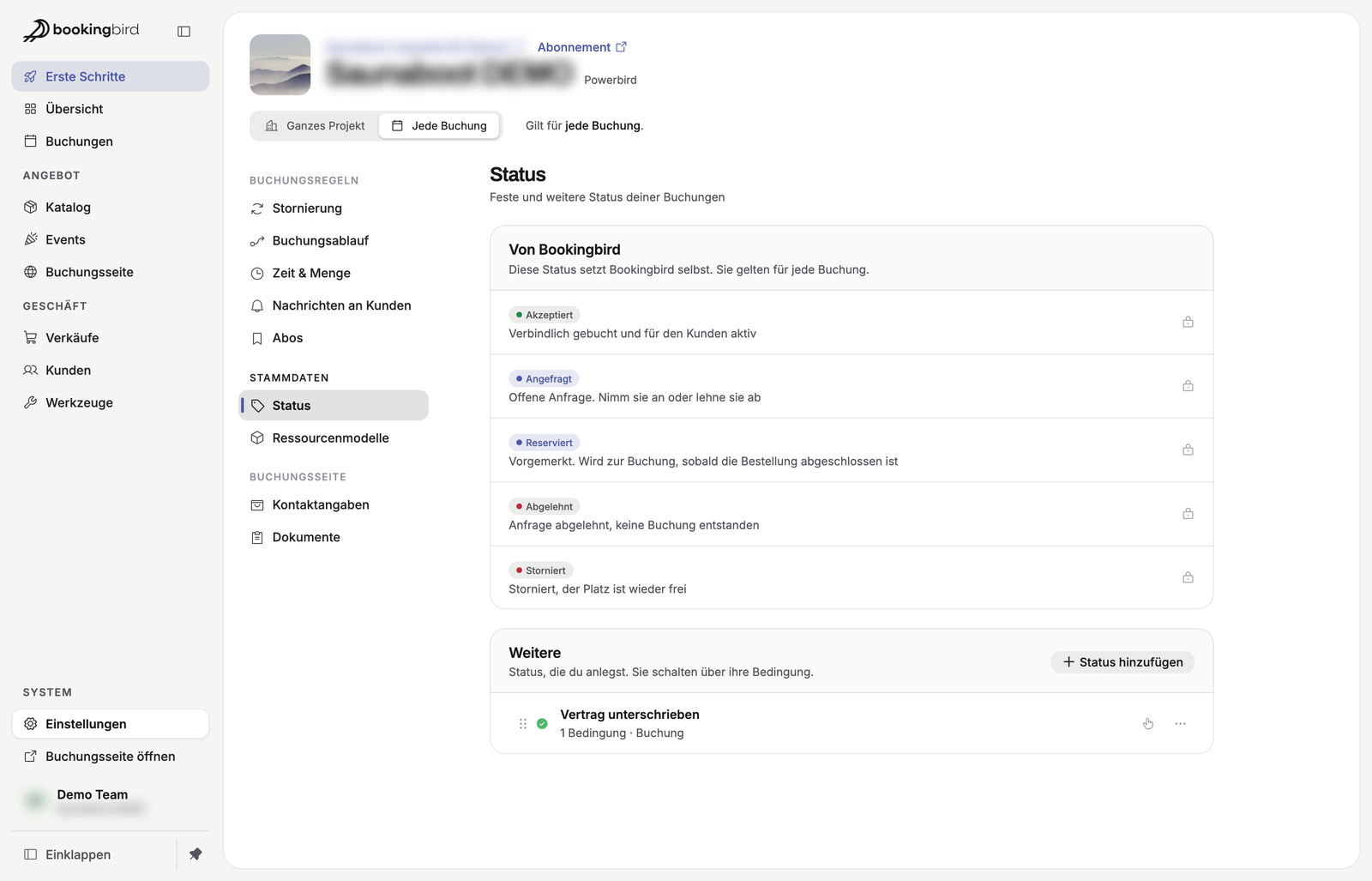
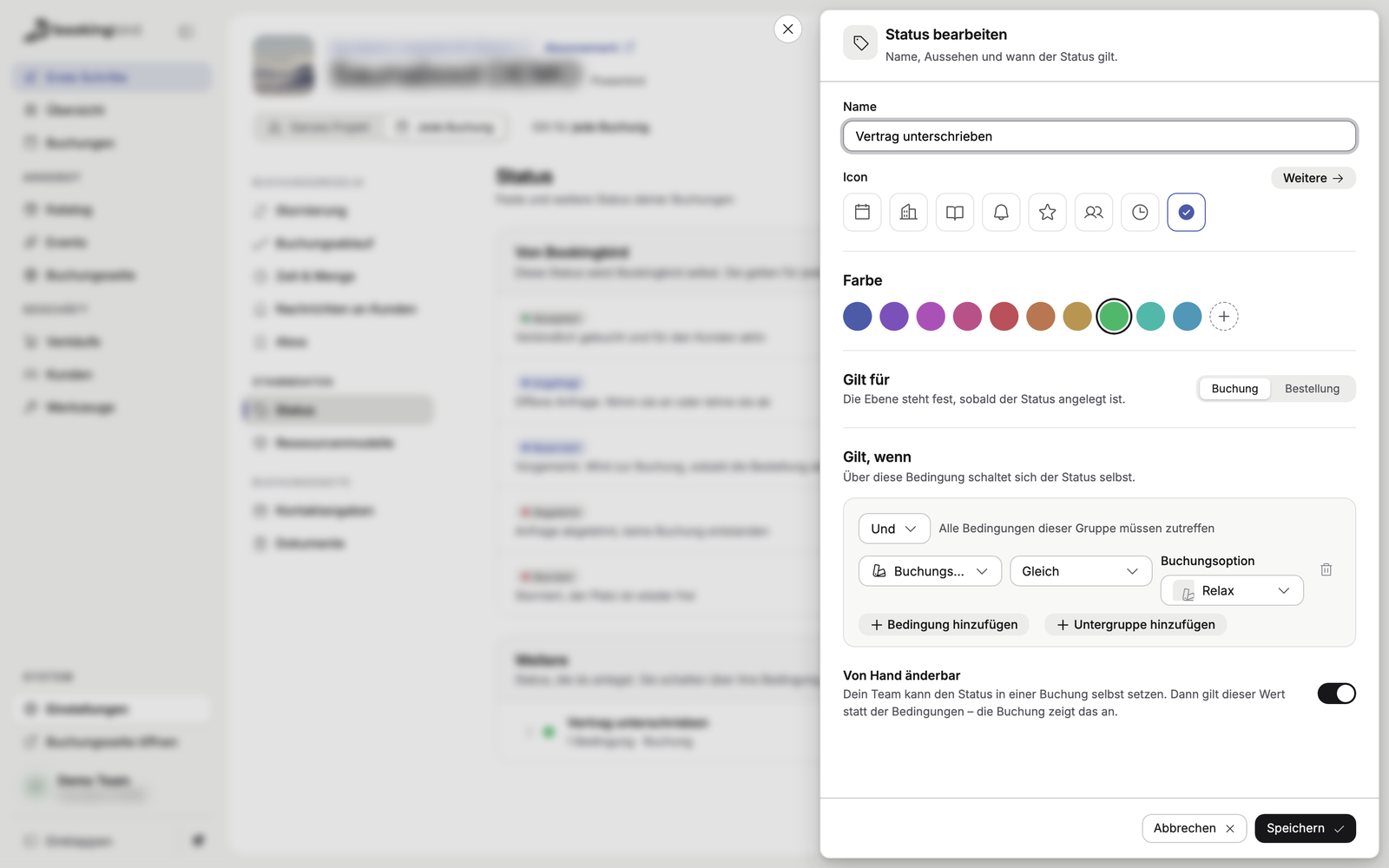
Where: Settings → Every booking → Status
Participant roles such as adults or children now sit in a clear list on the booking option. Below it, “How it counts” explains in plain sentences what a booking costs and how many places it takes, with a worked example.
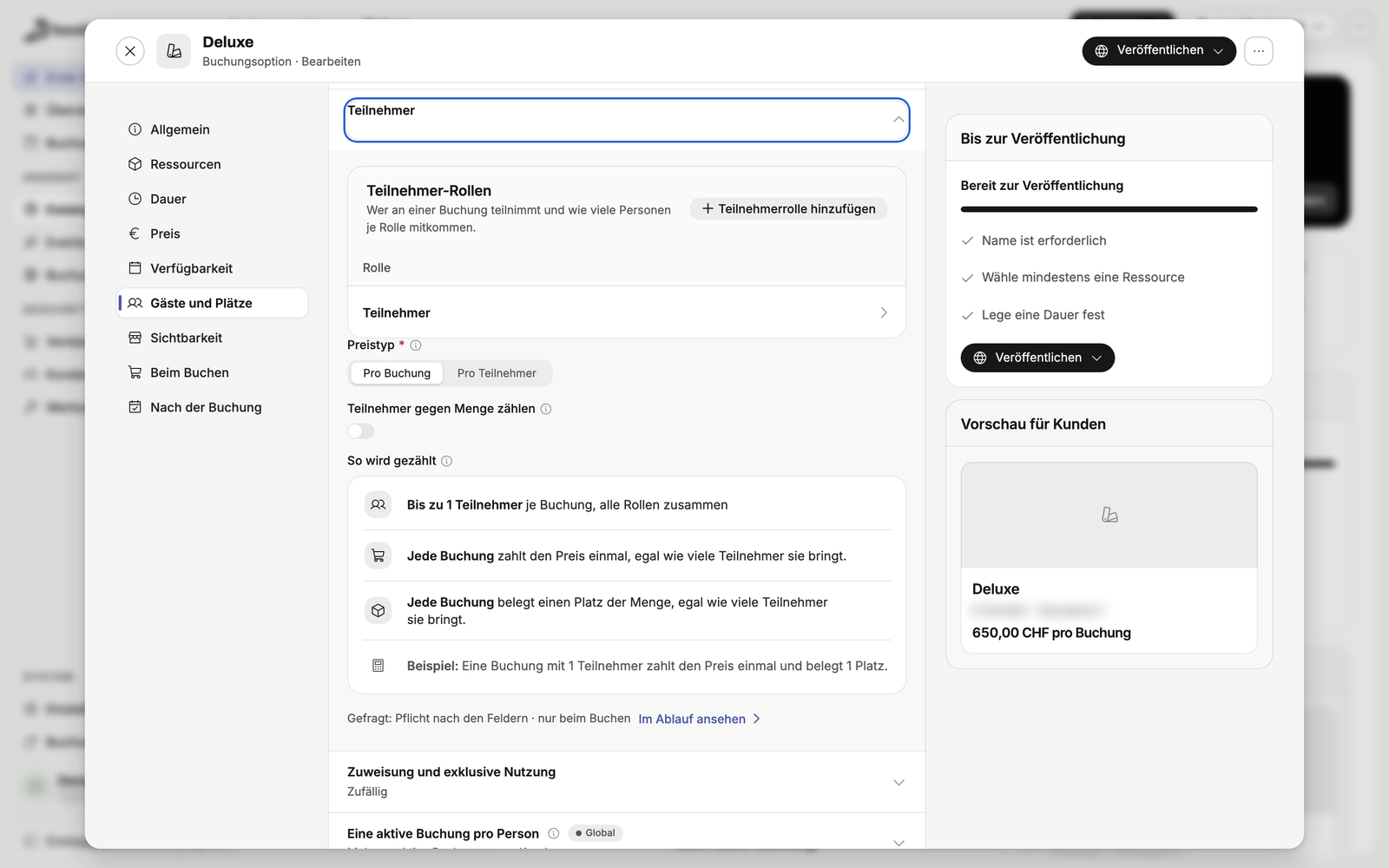
Where: Catalog → booking option → Edit → Guests and places
For each booking option you choose how the calendar on your booking page opens: as a whole month or as a week with times. The view fits the offer, whether guests book far ahead or at short notice.
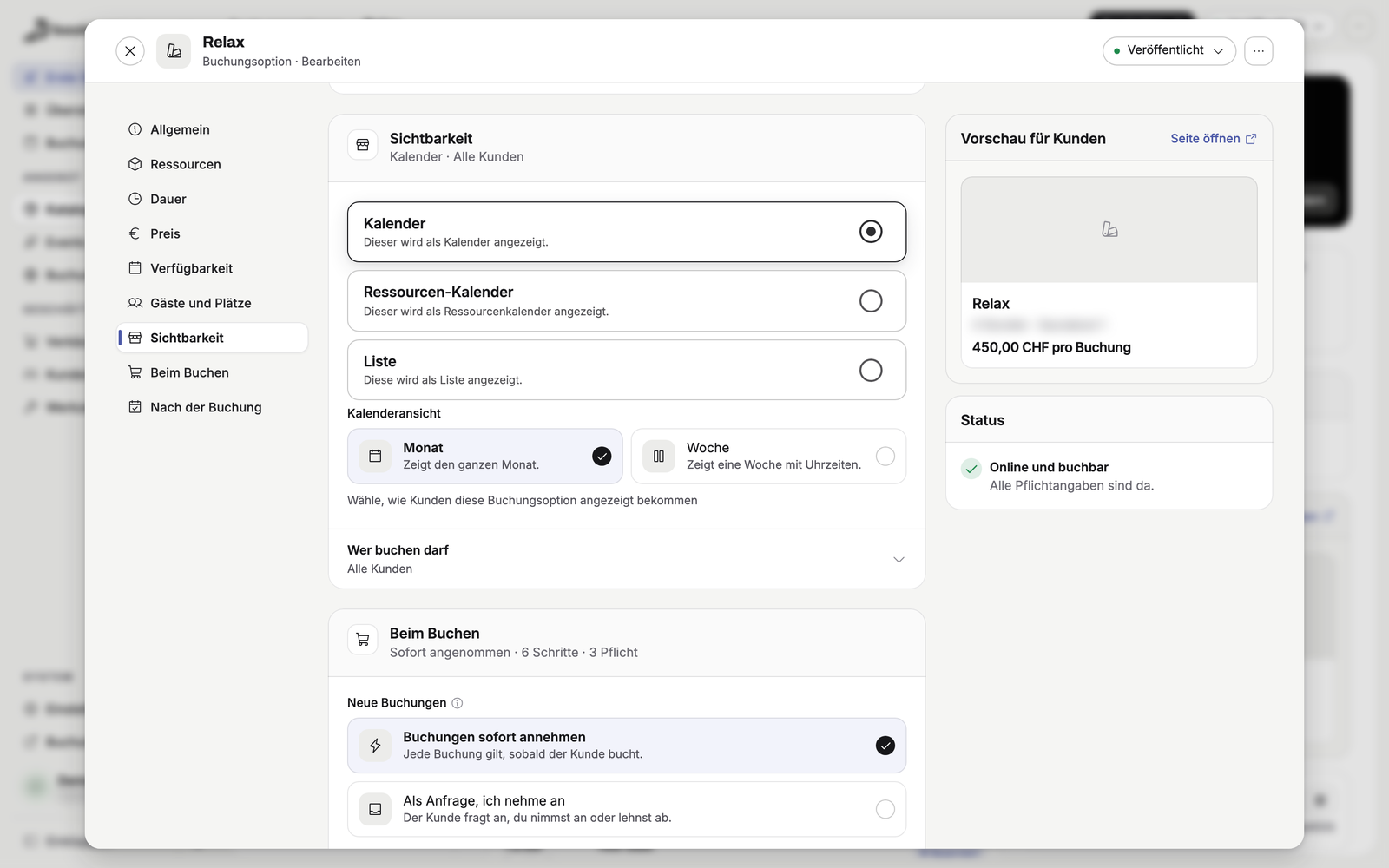
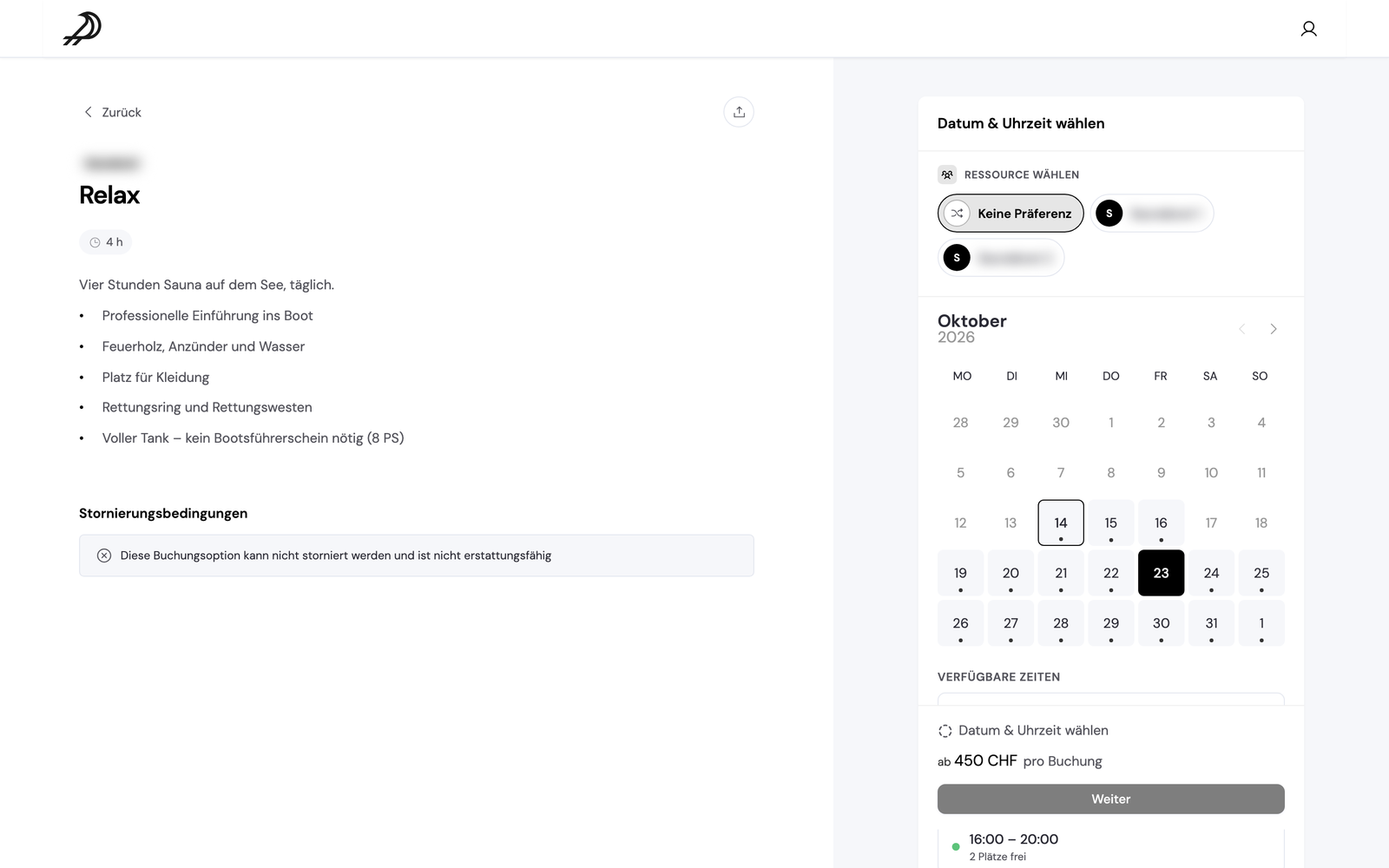
Where: Catalog → booking option → Edit → Visibility → Calendar view
Set the minimum term and notice period once as a standard, or per price plan. Running subscriptions keep the contract they were bought with. Members cancel on their own in the customer portal or via their personal subscription link, and the history shows when and how they cancelled.
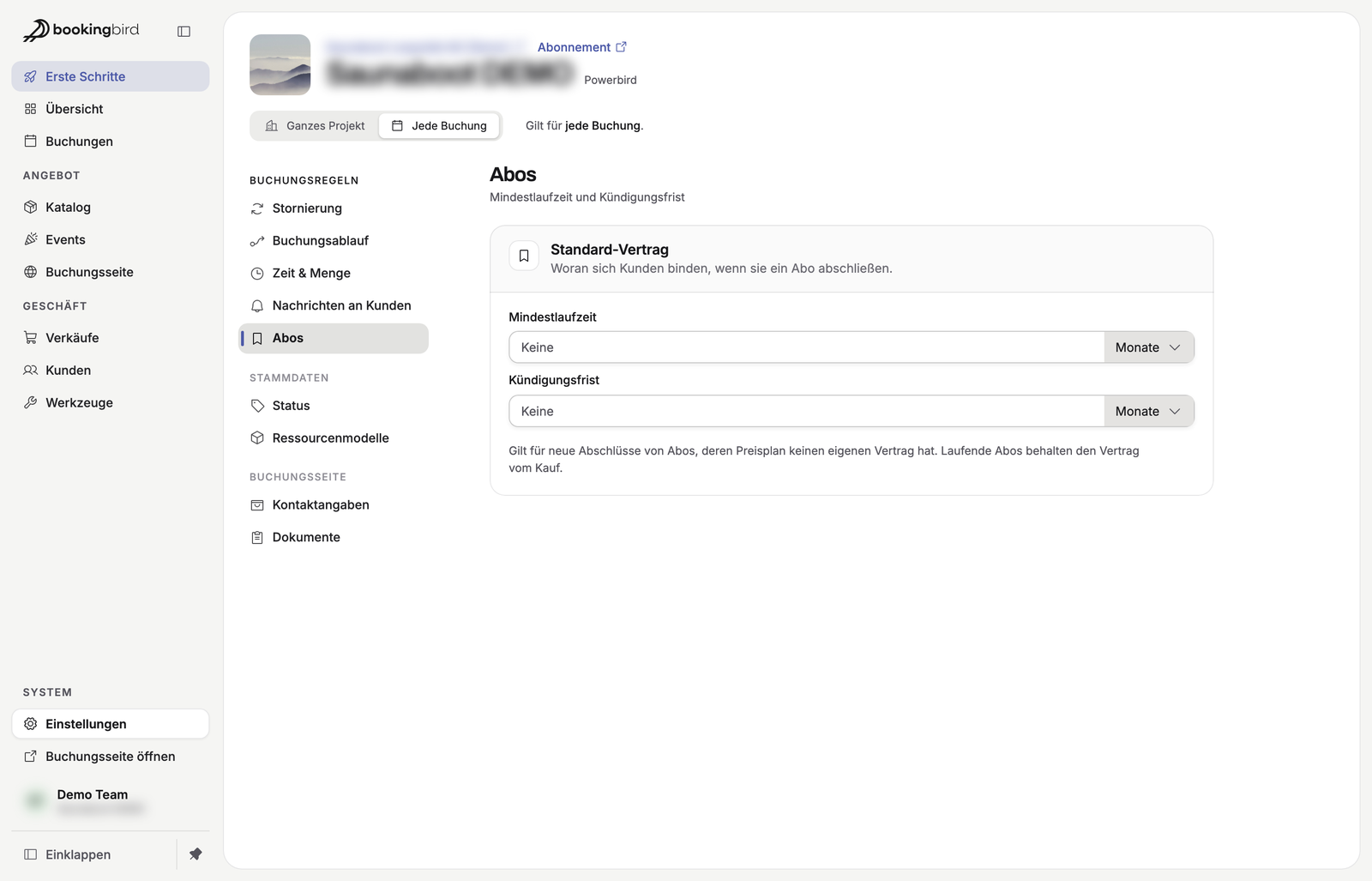
Where: Settings → Every booking → Subscriptions · Sales → Subscriptions
Choose what your team hears about by email: a new booking, a finished task such as a signed contract, a failed refund or a member cancelling. The emails go to your project email and to any further addresses you add.
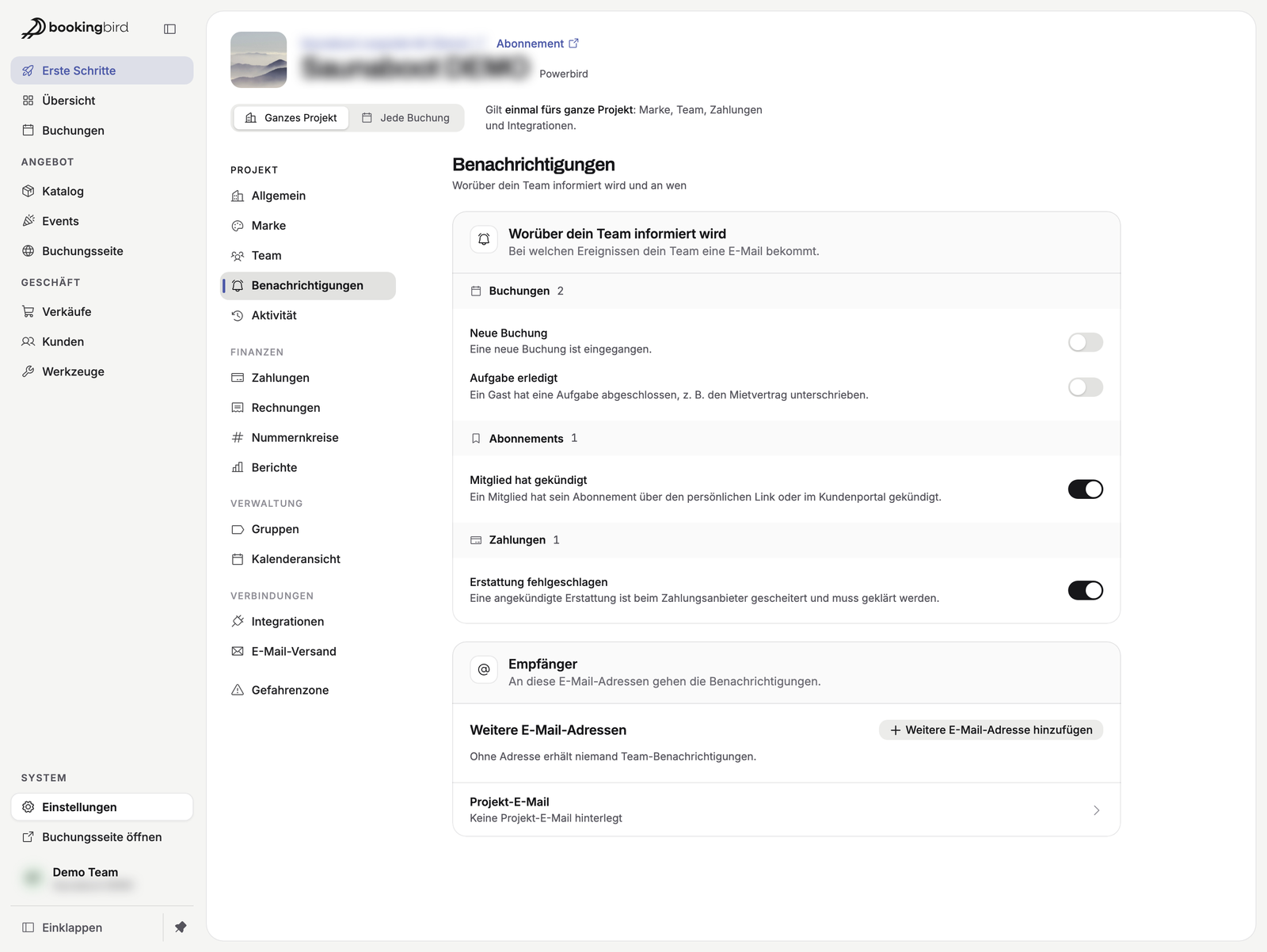
Where: Settings → Whole project → Notifications
You decide what happens to sold-out events on your booking page: they stay online with a “Sold out” mark, or they disappear from the catalog.
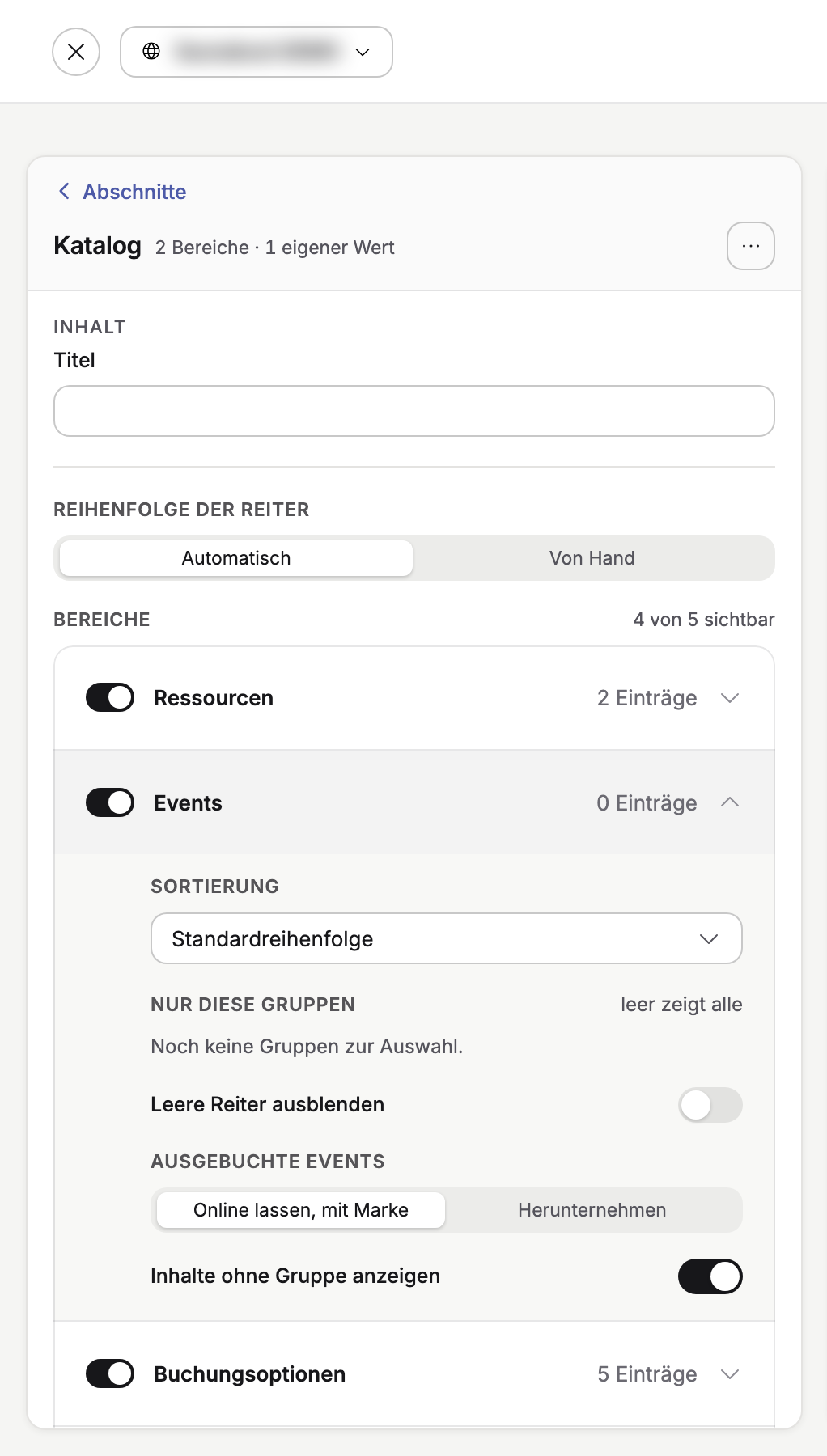
Where: Booking page → Design your page → section “Catalog” → area “Events” → Sold-out events
For guests who book for a company or club there is now a “Company / organisation” field. Switch it on in your contact details, and checkout asks for it and it is saved with the customer.
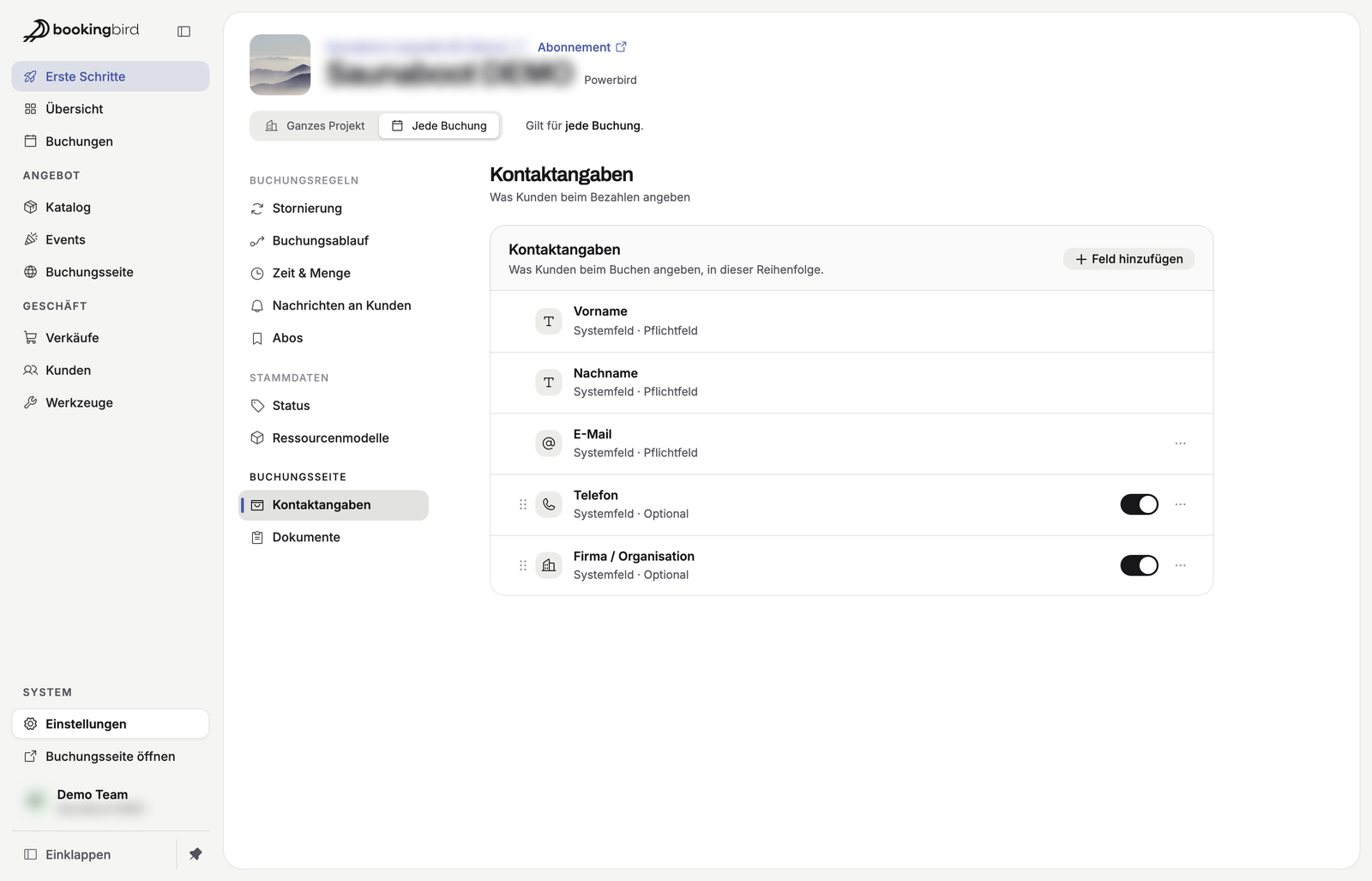
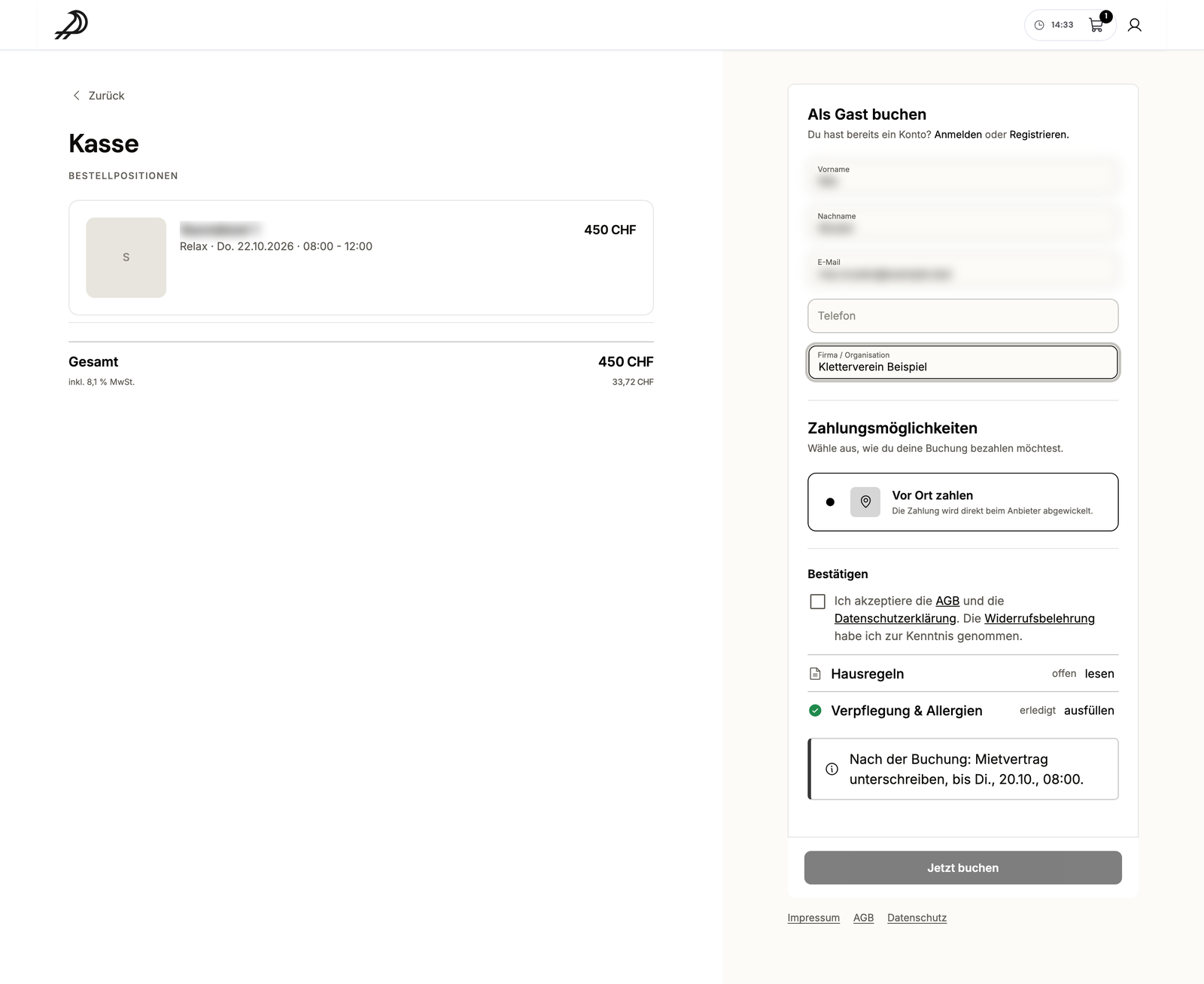
Where: Settings → Every booking → Contact details
A written-out date now follows the guest's language, e.g. “Friday, October 16, 2026” or “Freitag, 16. Oktober 2026”. The ticket email shows “Add to Apple Wallet” again.
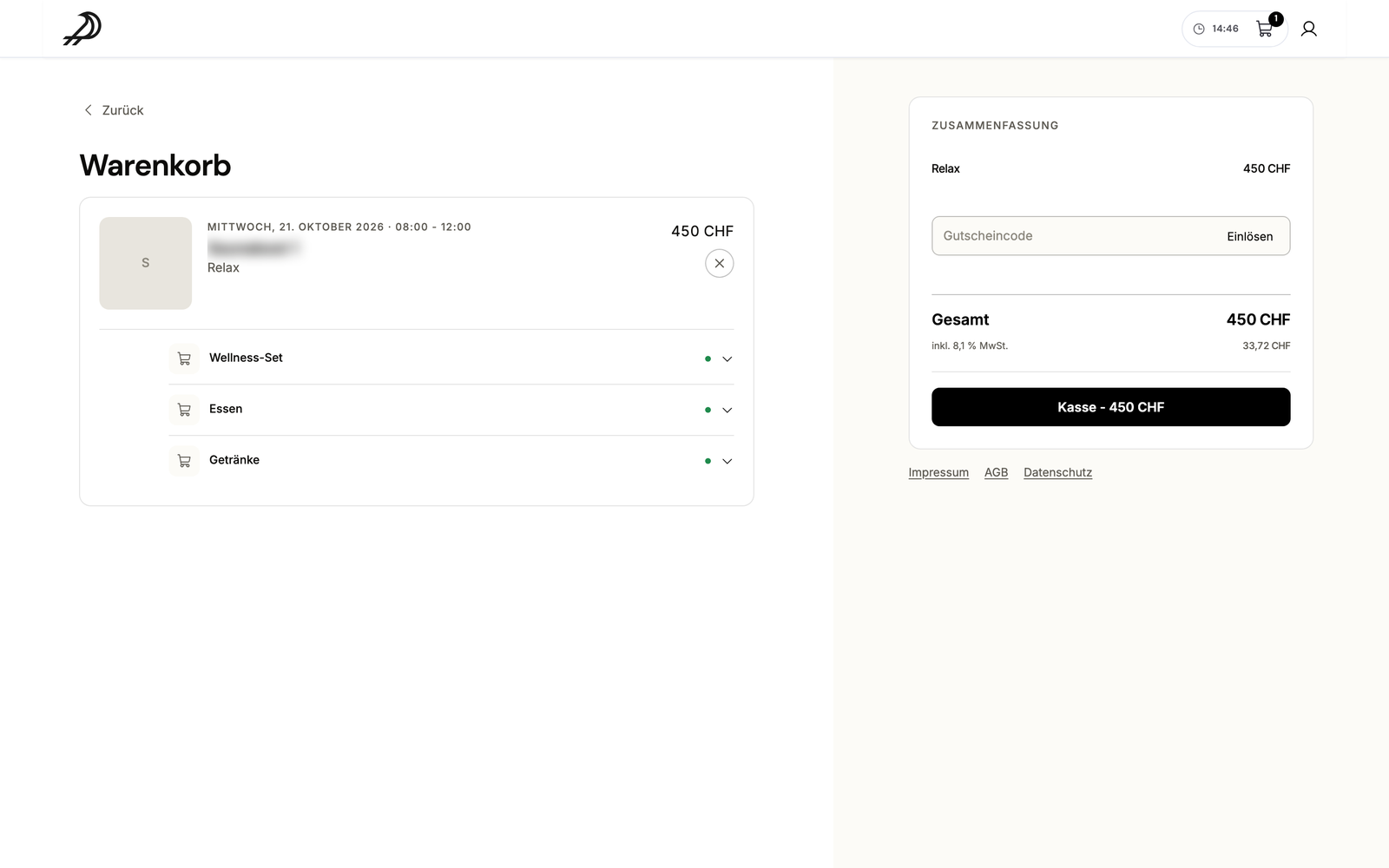
Where: Booking page, ticket email
Settings are now split into two areas: “Whole project” for brand, team, payments and integrations, and “Every booking” for cancellation, time & quantity, messages to customers and the booking flow. Your project sits on top with its picture, name and plan.
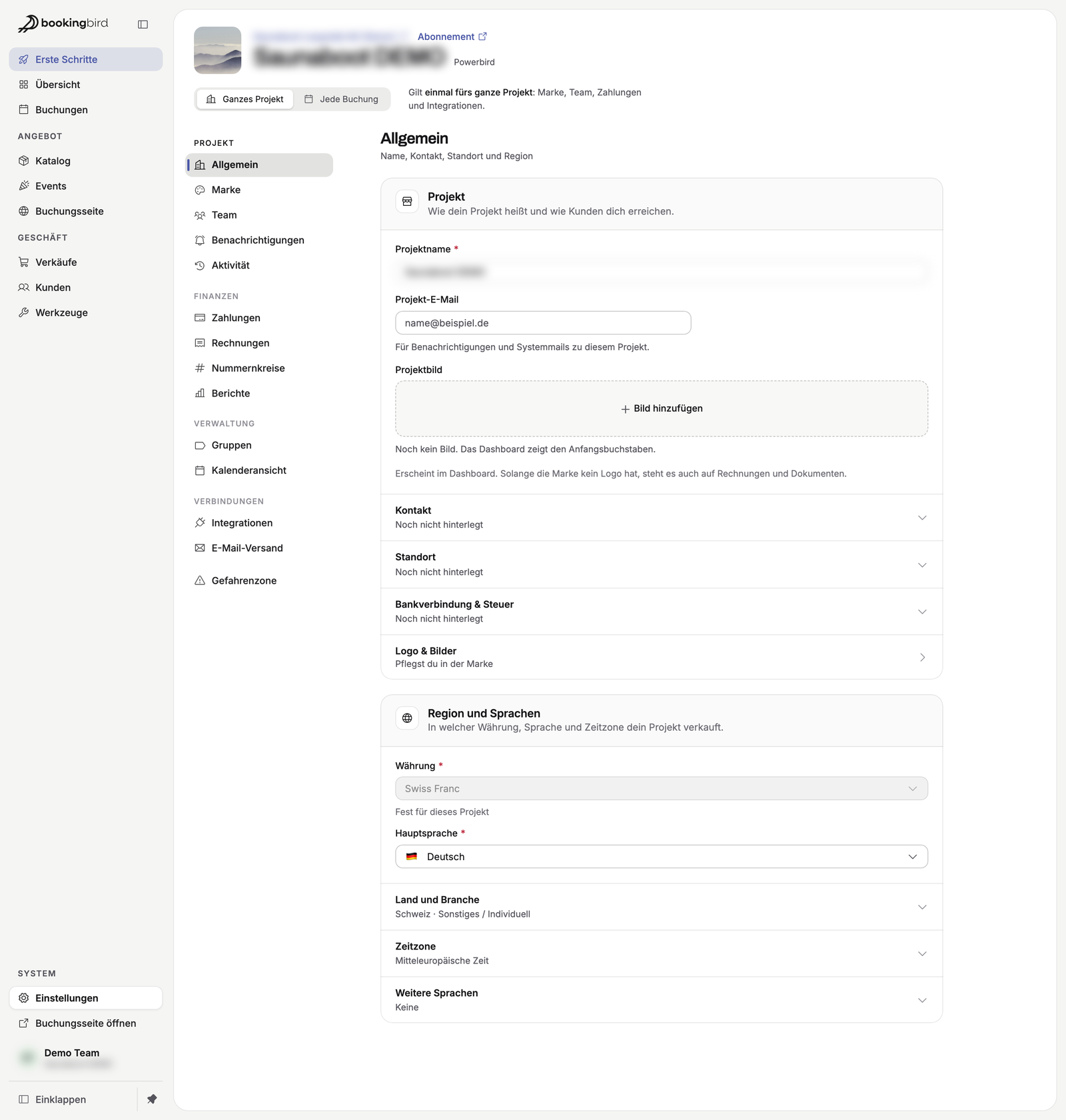
Where: Settings
And also: a fresher look with editors that show what is still missing before you publish, new email placeholders (date, time, number of guests) and “Next free time” in “New booking”. Plus more reliability: invoice numbers are never given out twice, a subscription after a long pause renews correctly again, and the last administrator stays an administrator.